Are you tired of your speakers sounding flat, boomy, or simply not right for your favorite tunes? Imagine having the power to sculpt your audio, enhancing every bass drop, clarifying every vocal, and making your music truly come alive. This isn’t just a dream for professional audio engineers; with the right equalizer (EQ) app, you can unlock your speakers’ full potential and customize your listening experience like never before. This guide will walk you through the world of EQ apps, helping you understand how they work, choose the best ones for your device, and master the art of sound optimization to achieve perfect audio, tailored just for you.
Understanding Your Audio Landscape: What is an Equalizer?
At its core, an equalizer is an audio filter that allows you to adjust the balance between different frequency components within a sound. Think of it as a sophisticated set of volume controls, each dedicated to a specific range of pitches. These “sliders” empower you to boost (increase) or cut (decrease) certain frequencies, thereby reshaping the overall sonic character of your music.
Why should you bother with an equalizer? The truth is, no speaker or listening environment is perfect. Your speakers might naturally lack bass, have harsh treble, or produce muddy mid-range frequencies. Furthermore, the acoustics of your room – from the furniture to the wall materials – can significantly impact how sound is perceived. An EQ app gives you the tools to compensate for these imperfections, personalize your sound to your unique preferences, and ensure every note sounds exactly as you desire. It’s about making your audio sound good, not just loud.
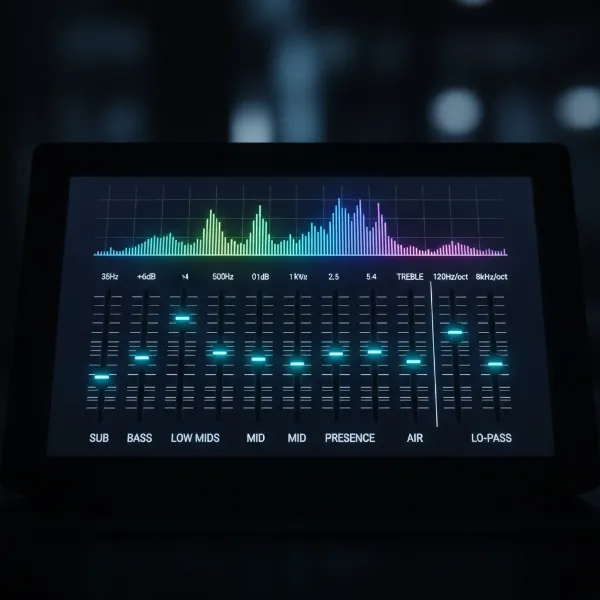 Digital equalizer interface with frequency sliders and various sound controls for audio adjustment.
The Blueprint of Sound: Decoding Frequency Bands
To effectively use an equalizer, it’s crucial to understand the different frequency ranges and how they influence the sound you hear. Equalizer apps typically divide the audible spectrum (from very low to very high pitches) into several bands, each controlling a specific aspect of the sound.
- Sub-Bass (20-60 Hz): This is the realm of the deepest, rumbling bass that you often feel more than hear. It adds a powerful, physical dimension to genres like hip-hop and electronic music. Over-boosting here can lead to a muddy or distorted sound, especially with smaller speakers.
- Bass (60-250 Hz): This range provides warmth, punch, and impact to instruments like kick drums, bass guitars, and low-end synths. A well-tuned bass can make music feel full and engaging, while too much can make it boomy and overpower other frequencies.
- Mid-Range (250 Hz – 3 kHz): The mid-range is where the majority of instruments and vocals reside. It’s crucial for clarity and definition.
- Low-Mids (250-600 Hz): Adds fullness to drums, guitars, and the lower register of vocals. Too much in this area can make the sound “boxy” or indistinct.
- Mids (600 Hz – 3 kHz): This band is vital for the presence and intelligibility of vocals, guitars, and other lead instruments. Boosting here can bring vocals forward, but excessive amounts can make the sound harsh or tinny.
- Treble (3 kHz – 20 kHz): The treble frequencies are responsible for the “air,” sparkle, and detail in your audio.
- Upper-Mids (3 kHz – 8 kHz): Emphasizes the clarity of cymbals, strings, and the upper harmonics of vocals. Careful adjustment here can add definition without causing sibilance (harsh “s” sounds) in vocals.
- Highs (8 kHz – 20 kHz): This range adds a sense of spaciousness, brightness, and crispness. It’s essential for the realism of electronic effects and the delicate nuances of classical music. Too much, however, can lead to fatiguing or piercing highs.
Understanding these bands helps you pinpoint exactly what you want to change in your audio. For instance, if vocals sound muffled, you might look at adjusting the mid-range. If your music lacks punch, the bass region is your target.
| Frequency Range | Impact on Sound | Common Issues with Excess | Common Issues with Deficiency |
|---|---|---|---|
| Sub-Bass (20-60 Hz) | Deep rumble, physical feel | Muddy, boomy, distorted | Lacks power, thin bass |
| Bass (60-250 Hz) | Warmth, punch, impact | Boomy, overpowering | Thin, weak, lifeless |
| Low-Mids (250-600 Hz) | Fullness of instruments/vocals | Boxy, muffled, unclear | Hollow, distant |
| Mids (600 Hz-3 kHz) | Vocal presence, clarity | Harsh, tinny, fatiguing | Dull, buried vocals |
| Upper-Mids (3 kHz-8 kHz) | Instrument definition, brilliance | Sibilant, piercing | Lacks clarity, dull highs |
| Highs (8 kHz-20 kHz) | Air, sparkle, detail | Sharp, hissing, brittle | Lifeless, flat, dark |
Choosing Your Weapon: Top Equalizer Apps for Every Platform
Whether you’re an Android aficionado or an iPhone enthusiast, there’s an EQ app designed to elevate your speaker sound. Many devices offer basic built-in EQ settings, but third-party applications provide far more granular control and advanced features.
For Android Users
Android boasts a wide selection of powerful equalizer apps, often with system-wide effects that can enhance sound across all your media.
- Poweramp Equalizer: Often hailed as an all-rounder, Poweramp Equalizer offers a highly customizable parametric EQ with up to 64 bands. It’s a favorite among audiophiles for its precision and comprehensive control, allowing for deep sound sculpting. While its extensive features might seem daunting to beginners, it offers unparalleled flexibility for advanced users.
- Wavelet: Tailored for audiophiles, Wavelet features auto-EQ capabilities that can automatically calibrate sound based on thousands of headphone models. While primarily focused on headphones, its system-wide equalizer can also significantly improve speaker output. It’s known for its precise adjustments and clean interface.
- Boom: Bass Booster & Equalizer: This app is a popular choice for those seeking a balance of powerful features and user-friendliness. It offers a graphic equalizer, bass boost, and often includes 3D surround sound effects, making it excellent for immersing yourself in music.
|
Our Picks for the Best Bluetooth speaker in 2026
As an Amazon Associate I earn from qualifying purchases.
|
||
| Num | Product | Action |
|---|---|---|
| 1 | Bluetooth Speaker with HD Sound, Portable Wireless, IPX5 Waterproof, Up to 20H Playtime, TWS Pairing, BT5.3, for Home/Party/Outdoor/Beach, Electronic Gadgets, Birthday Gift (Red) |

|
| 2 | Anker Soundcore 2 Portable Bluetooth Speaker with Stereo Sound, Bluetooth 5, Bassup, IPX7 Waterproof, 24-Hour Playtime, Wireless, Speaker for Home, Outdoors, Travel |
|
| 3 | Soundcore Anker 2 Portable Bluetooth Speaker with Stereo Sound, Bluetooth 5, Bassup, IPX7 Waterproof, 24-Hour Playtime, Wireless, Speaker for Home, Outdoors, Travel |
|
| 4 | Bluetooth Speaker with HD Sound, Portable Wireless, IPX5 Waterproof, Up to 20H Playtime, TWS Pairing, BT5.3, for Home/Party/Outdoor/Beach, Electronic Gadgets, Birthday Gift (Blue) |
|
| 5 | Anker Soundcore 2 Portable Bluetooth Speaker with Stereo Sound, Bluetooth 5, Bassup, IPX7 Waterproof, 24-Hour Playtime, Wireless, Speaker for Home, Outdoors, Travel |
|
| 6 | Anker Soundcore 2 Portable Bluetooth Speaker with Stereo Sound, Bluetooth 5, Bassup, IPX7 Waterproof, 24-Hour Playtime, Wireless, Speaker for Home, Outdoors, Travel |
|
| 7 | Anker Soundcore 2 Portable Bluetooth Speaker with Stereo Sound, Bluetooth 5, Bassup, IPX7 Waterproof, 24-Hour Playtime, Wireless, Speaker for Home, Outdoors, Travel- Navy Blue |
|
| 8 | Bluetooth Speaker with HD Sound, Portable Wireless, IPX5 Waterproof, Up to 20H Playtime, TWS Pairing, BT5.3, for Home/Party/Outdoor/Beach, Electronic Gadgets, Birthday Gift (Teal) |
|
| 9 | Bluetooth Speaker with HD Sound, Portable Wireless, IPX5 Waterproof, Up to 20H Playtime, TWS Pairing, BT5.3, for Home/Party/Outdoor/Beach, Electronic Gadgets, Birthday Gift (Pink) |
|
| 10 | Bluetooth Speaker with HD Sound, Portable Wireless, IPX5 Waterproof, Up to 20H Playtime, TWS Pairing, BT5.3, for Home/Party/Outdoor/Beach, Electronic Gadgets, Birthday Gift (Black) |
|
For iPhone Users
Apple’s iOS ecosystem also offers robust EQ apps, though system-wide equalization can sometimes be more restricted than on Android, with some apps working best within their own music player.
- Boom: Bass Booster & Equalizer: Also available on iOS, Boom is a top recommendation for iPhone users. It provides an 8- or 16-band equalizer, bass boosting, and 3D sound. It integrates well with streaming services like Spotify and TIDAL, offering a seamless experience. The app often includes a free trial to explore its full capabilities.
- Equalizer Pro+: For listeners who prioritize high-fidelity audio, Equalizer Pro+ stands out with its support for lossless audio formats like FLAC, WAV, and APE. This allows you to work with the highest quality source files while applying detailed EQ adjustments.
- Evermusic Pro: Beyond being a capable music player, Evermusic Pro includes a powerful built-in equalizer. It supports various audio formats and allows you to upload your music library to the cloud, making it a versatile option for managing and enhancing your tracks.
Mastering the Mix: A Step-by-Step Guide to Using EQ Apps
Ready to fine-tune your sound? Follow these steps to effectively use an equalizer app:
- Installation and Setup:
- Download your chosen EQ app from the Google Play Store (Android) or Apple App Store (iOS).
- Grant any necessary permissions, especially for audio control. Some apps work system-wide, affecting all audio output, while others operate only within their own music player. For external Bluetooth Speakers, ensure the app can route audio to them.
- Start with a Flat Profile:
- Before making any adjustments, set all EQ bands to their default “flat” or “0 dB” position. This provides a neutral starting point. Many apps offer a “flat” or “off” preset.
- The “Less is More” Philosophy:
- A common mistake is to boost all frequencies to make the sound louder. Instead, focus on cutting frequencies that sound harsh or muddy, and gently boosting those you want to emphasize. Cutting frequencies generally sounds more natural and helps maintain audio clarity, preventing distortion.
- Listen Critically and Make Small Adjustments:
- Play a piece of music you know well, ideally one with a good range of frequencies.
- Identify what you don’t like: Is the bass too boomy? Are vocals unclear? Are the highs too sharp?
- Make one small adjustment at a time (e.g., move a slider by 1-2 dB).
- Listen for the change. Does it improve the sound?
- A useful technique is to boost a frequency band significantly, sweep it back and forth to identify the problematic frequency, then cut that frequency slightly.
- Focus on Specific Bands:
- If bass is weak, try a subtle boost in the 60-125 Hz range.
- If vocals are unclear, experiment with a slight boost around 1-3 kHz.
- If the sound is too bright or harsh, try a small cut in the 4-8 kHz region.
- Save Custom Presets:
- Once you find settings that sound great for a particular type of music or listening environment, save them as a custom preset. This allows you to quickly switch between optimized profiles.
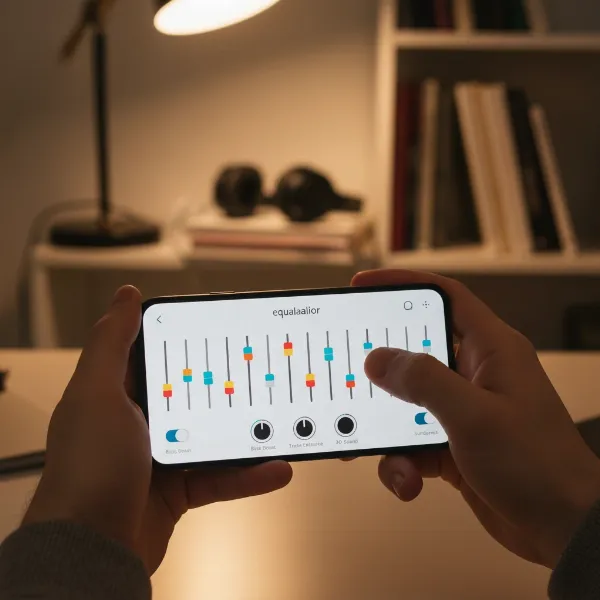 Person using a mobile equalizer app to adjust sound settings on their smartphone.
- Once you find settings that sound great for a particular type of music or listening environment, save them as a custom preset. This allows you to quickly switch between optimized profiles.
Tailoring Sound to Your Taste: Genre-Specific EQ Settings
While personal preference reigns supreme, certain EQ curves often enhance specific music genres. These are starting points, feel free to adapt them!
- Rock & Metal: This genre often benefits from a “scooped” mid-range to emphasize guitars and drums. Boost low bass (60-125 Hz) for punch, and crisp highs (8-16 kHz) for cymbal sparkle and guitar definition. A slight cut in the low-mids (250-500 Hz) can reduce muddiness.
- Hip-Hop & Electronic: These genres thrive on powerful low-end. Boost sub-bass (40-80 Hz) and mid-bass (80-160 Hz) for maximum impact and warmth. Keep the mid-range relatively flat or slightly cut (400-600 Hz) to ensure vocals remain clear over heavy beats. A gentle boost in the highs (12 kHz+) can add electronic detail.
- Classical & Jazz: These genres prioritize natural sound reproduction and detail. Aim for a balanced, subtle EQ. A slight boost in the low frequencies (80 Hz) for a subtle foundation and gentle boosts in the mid-highs (1-3 kHz) and highs (8-15 kHz) can enhance instrument clarity, presence, and overall “air” without sounding artificial. Avoid aggressive bass boosts.
- Pop & R&B: Often benefits from a more energetic, “V-shaped” EQ, boosting both bass and treble while slightly reducing the mid-range. This creates an exciting, clear, and punchy sound that works well with modern production. A moderate boost in the 60-125 Hz and 8-10 kHz ranges often works well.
Beyond the App: Optimizing Your Listening Environment
Even the best EQ app can only do so much if your physical environment is working against you. Consider these factors for holistic sound improvement:
- Room Acoustics: Hard, reflective surfaces (bare walls, glass, tile floors) can cause echoes and harsh treble. Soft furnishings (carpets, curtains, upholstered furniture) absorb sound, helping to balance frequencies. If your room is too “live,” you might need to slightly reduce high frequencies with your EQ. Conversely, a very “dead” room might benefit from a subtle treble boost.
- Speaker Placement: Experiment with where your speakers are placed. Placing speakers too close to walls or corners can overemphasize bass, leading to muddiness. Moving them slightly away can often yield a cleaner sound, requiring less corrective EQ.
- Source Audio Quality: An equalizer cannot magically make a low-quality audio file sound pristine. Start with the highest quality audio files or streaming services available for the best results.
Comparison Table: Popular Equalizer App Features
| App Name (Platform) | Key Features | Pros | Cons |
|---|---|---|---|
| Poweramp Equalizer (Android) | Parametric EQ, up to 64 bands, deep customization | Highly precise control, robust for audiophiles | Interface can be complex for newcomers |
| Boom: Bass Booster & Equalizer (Android/iOS) | 8/16-band EQ, Bass Boost, 3D Surround Sound, Presets | User-friendly, cross-platform, good streaming integration | Full features often require a subscription |
| Wavelet (Android) | Auto-EQ, thousands of headphone profiles, Graphic EQ | Excellent for headphone correction, audiophile-focused | Primarily optimized for headphones, not pure speakers |
| Equalizer Pro+ (iOS) | Lossless audio support (FLAC, WAV, APE), Parametric EQ | Ideal for high-fidelity audio files, powerful | May not integrate with all streaming apps |
Tips for Sustained Sonic Excellence
- Regular Experimentation: Your ears, preferences, and even your speakers can change over time. Don’t be afraid to revisit your EQ settings and experiment with new adjustments.
- Keeping Apps Updated: Developers frequently release updates that improve performance, add features, and fix bugs. Ensure your EQ apps are always up to date.
- Understanding Your Speakers’ Limitations: While EQ can greatly enhance sound, it can’t defy physics. Small speakers will never produce chest-thumping sub-bass like a dedicated subwoofer, and pushing them too hard with extreme EQ can lead to distortion or damage. Use EQ to complement, not replace, your speaker’s inherent capabilities.
Equalizer apps are powerful tools that put the control of your audio experience directly into your hands. By understanding the fundamentals of frequency, choosing the right app, and applying thoughtful adjustments, you can transform your speakers from sounding merely “okay” to delivering a truly personalized and immersive soundstage. Whether you crave deeper bass, clearer vocals, or sparkling highs, the journey to perfect sound is an engaging one, rewarding your ears with every tweak.
What are your favorite go-to EQ settings for your everyday listening?
Frequently Asked Questions
What’s the difference between graphic and parametric EQ?
A graphic equalizer provides fixed frequency bands with sliders to boost or cut levels. A parametric equalizer offers more control, allowing you to select the exact frequency, adjust the boost/cut level, and define the “Q” (bandwidth or width) of the frequency range affected. Parametric EQs offer greater precision for detailed sound sculpting.
Can EQ damage my speakers?
While moderate EQ adjustments are safe, extreme boosting of certain frequencies, especially bass, can push your speakers beyond their physical limits, leading to distortion or even damage over time. Always listen for signs of strain or clipping and avoid excessive boosts, especially at high volumes.
Should I always use an equalizer?
Not necessarily. If your speakers and listening environment are already well-balanced and you enjoy the natural sound, a flat EQ might be best. EQ is primarily a tool to correct deficiencies, enhance specific aspects of sound, or adapt to different music genres or listening conditions.
Do streaming services have built-in EQs?
Many popular streaming services like Spotify and Apple Music include basic built-in equalizers within their app settings. These often provide a limited number of bands or genre-specific presets, offering a convenient way to make quick audio adjustments without needing a separate app.